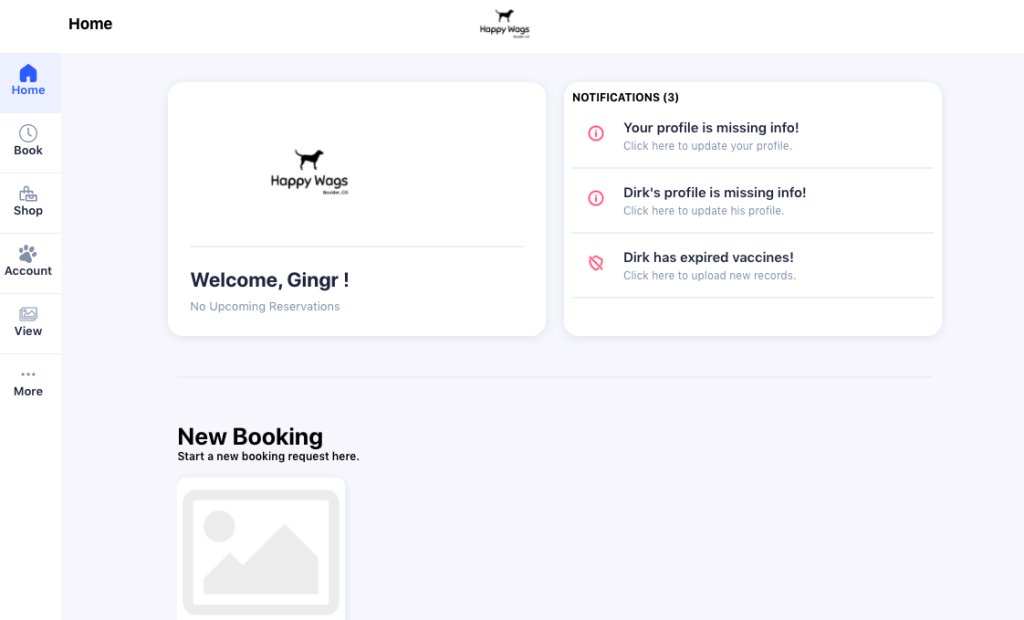
Client Portal
Our Client Portal can be used for existing clients to log in and request your own bookings, manage your own account, and more!
In order to fully utilize our Client Portal you must ensure we have up to date vaccination records on file for your pet, you have a signed Service Agreement on file, and you have a credit card saved to your file. Without these 3 things, you will not be able to request reservations via the Client Portal.
Our Client Portal will not allow same-day requests, and will not allow requests from new clients who do not have any previous completed reservations with us.
It is very important to note that a request is NOT a guarantee for a reservation.
Our Office Staff will receive your reservation request via our booking system, will ensure availability, and then will either confirm or deny your request. You will get both a confirmation (or rejection) email, as well as a phonecall from one of our Office Staff members.
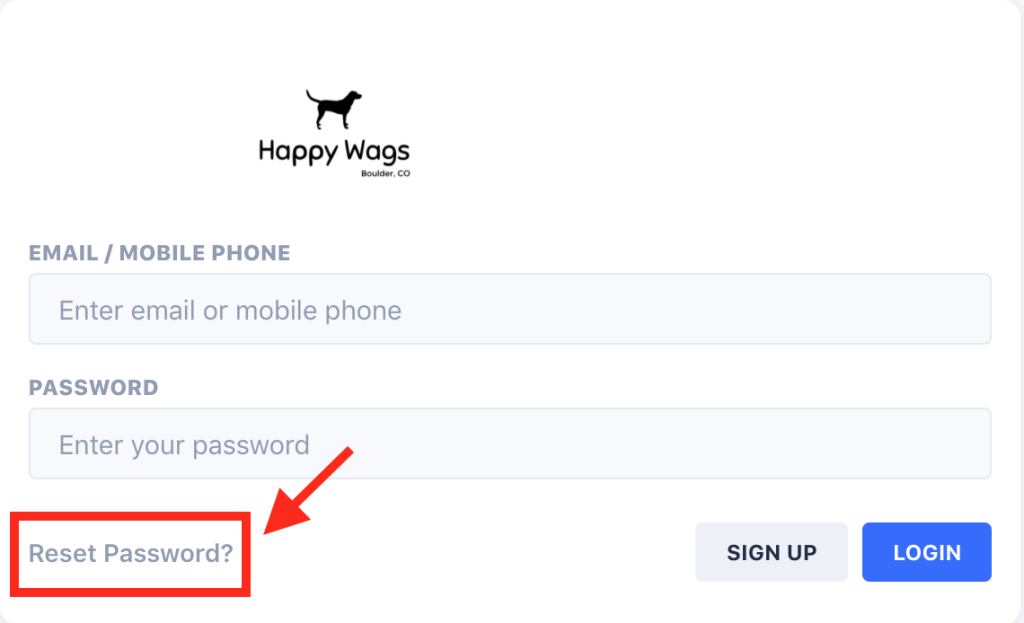
If you are logging in for the first time, select Reset Password?
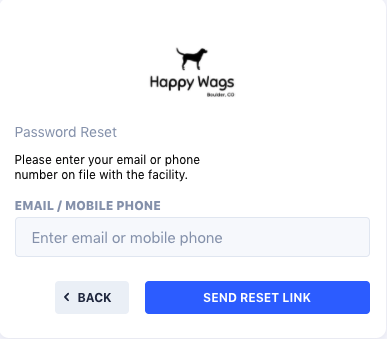
You will then be prompted to input your email or phone number attached to your account. When you select Send Reset Link you will receive an email or text with the password reset link.
Once you receive the text or email you can select the Set Password link.
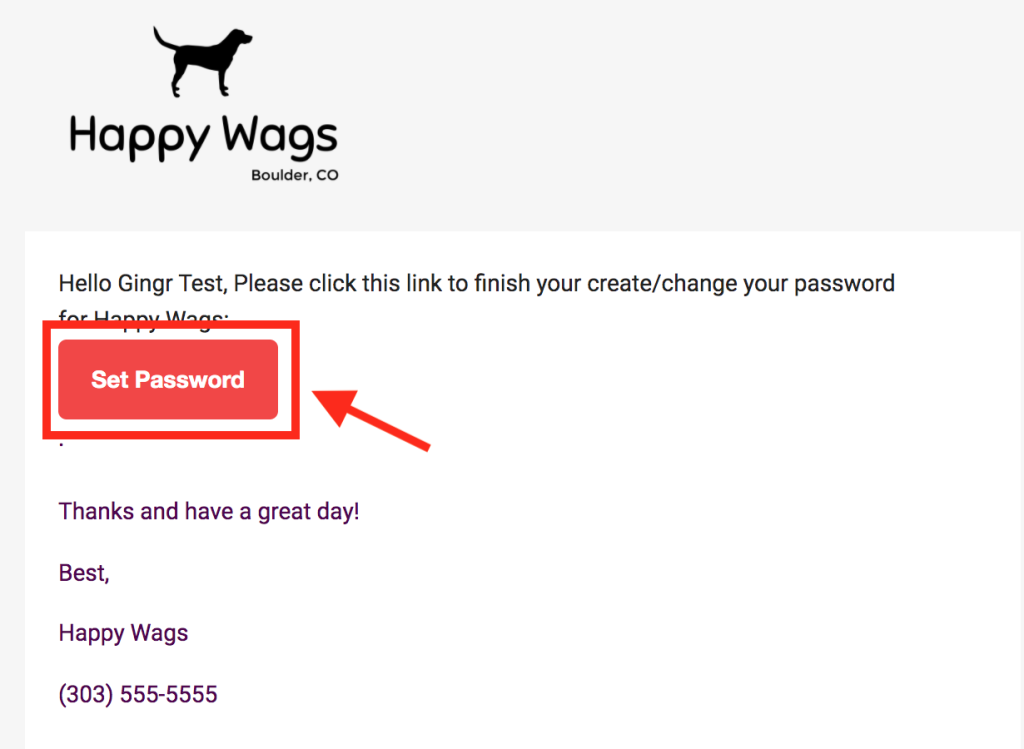
After selecting the link, you will be navigated to the Password Reset page where you can create your password. As soon as you create your password you will automatically be logged into the Client Portal!